
So, you’re an Amazon regular, huh? Whether you’ve sworn by the online retailer for a while or you’ve been relying on them during lockdown, you’ve probably spent thousands of dollars online shopping.
Buying whatever you want or need with the click of a button can become addicting, but did you know that more than 80% of American households have an Amazon Prime membership? In case you’re having a hard time visualizing that scale, that’s more people than those who voted in the 2016 election, attend church, have a pet, or decorate a Christmas tree.
Is it possible to avoid overspending, though? It hardly feels like it, but we think it’ll be easier to cut back if you know exactly why you’re spending so much money. If you know what to look out for, you might be able to scale back and enjoy the benefits of saving up money and sticking to a budget!
Click through to find out 10 reasons you’re addicted to Amazon shopping.
1. Amazon Rewards Credit Cards
You might not realize it, but the company has dipped its toes into the banking business as well. The Amazon Rewards Visa Signature card offers delightful cashback rewards. Namely, you’ll get 5% cashback on Amazon and Whole Foods Market purchases if you’re a Prime member, while nonmembers get 3% cashback.
But the great offers don’t end there, with 2% cashback on spending at restaurants, drugstores, and cashback on top of another 1% on all other purchases. Another sought after perk of this card? No foreign transaction fees and roadside dispatch service.
All of these perks make spending far more attractive, especially if you’re already inclined to look for a good deal. However, there are ways to cut down on spending without applying for one- using the Honey browser extension, which compares prices on Amazon to make sure you’re always getting a good deal.
2. Amazon Prime
As we said earlier, around 80% of American households have an Amazon Prime membership. Whether you’re paying $12.99 monthly or $119 per year (unless you’re a student, in which case your monthly fee is $6.49), you’re probably enjoying a lot of perks.
The two main reasons people sign up for Prime? Unlimited two-day shipping on eligible items and Prime Video for video streaming services.
OK, but do you really need Amazon Prime? If you order items worth $25 or more, shipping is generally free. As for Prime Video, if you already have Netflix or Hulu, do you need another streaming service?
Try going without Amazon Prime for a while and you’ll likely notice your online shopping expenses go down. You might feel less inclined to buy everything you see on Amazon!
3. Lightning Deals
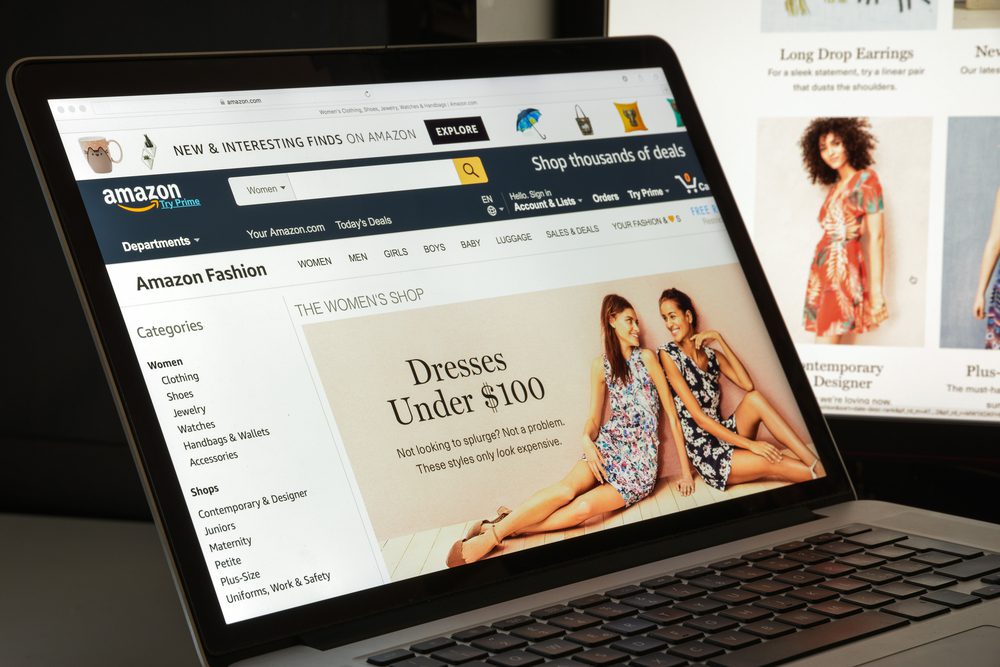
Who could say no to a good deal? Amazon certainly doesn’t make ignoring them any easier. If you so much as look the way of “Today’s Deals” you’ll be bombarded with lightning deals that are hard to resist.
The low prices are only available for a limited time, causing you to act now, think about your spending habits later. The timer also doesn’t help as you’ll feel pressured to purchase the item now before the deal runs out.
This is a common retail trick know as the principle of scarcity. If you think you’re going to miss out on an amazing purchase, you’re more likely to make it even if you don’t necessarily need that item!
4. Lists
The fact that Amazon makes it abundantly easy to save items you want to buy for later shouldn’t be surprising. This tactic helps remind you of all the things you want to buy until you inevitably hand over your money.
You can create a handy shopping list and even put together a wish list for friends and family for upcoming birthdays or anniversaries.
By doing so you’re essentially reminding yourself that there’s something worth coming back for later, even if you don’t feel like buying the item now or if your budget doesn’t allow for it just yet.
5. 1-Click Ordering
Between quick delivery times and the lack of effort you need to put in before you find the perfect item, Amazon knows exactly how to keep clients coming back. Speed is one thing the mega-retailer prides itself on.
That’s where 1-click ordering comes in. Amazon allows you to buy anything you need instantly. You only need to enter your payment information and shipping address once. After that, with the click of a button, literally, you’ll buy everything you need.
Even buying gifts is made easier with this feature. All it takes is clicking ‘This will be a gift’ first and then the 1-click button and you’re done. With shopping simplified, it’s no wonder we keep coming back for more.
Luckily, if this is the culprit that makes you spend more than you should, you can turn this feature off.
6. Saved Credit Card Data
How many times have you thought ‘Ugh, I’ll buy it later!’ when an online retailer asked for your credit card information yet again? Amazon knows that this could put off a lot of potential buyers, so it conveniently stores that information.
The next time you shop, even without 1-click ordering, you don’t have to get up and get your credit card anymore. The data is there, all you have to do is go through the check out process and you’re done!
You can, however, manage your payment methods. You’d be surprised how often you’ll give up on a cart if it means you’ll have to go through the effort of putting in your credit card info again.
7. Mobile Shopping App
Making mobile apps is a form of art, as many developers will tell you. Making sure that your app is convenient to use will make potential clients come back over and over again. If the buying process is not smooth, they’ll get frustrated and leave.
Amazon has spent an equal amount of time and effort to make sure that their app is perfect for consumers. Finding an item has never been easier, and ordering from your phone instead of your computer is seamless.
With a whole catalog of items in the pocket of your jeans, it’s no wonder you’re buying more often than you should!
8. Voice Shopping
Nowadays you don’t even have to use a computer or your phone to shop either. Actually, you don’t even need to use your hands. With Alexa’s help, Amazon’s voice-activated artificial intelligence, all you need to do is speak up about your wishes… Literally!
Alexa is available on various Amazon devices, such as Echo smart speakers. Say you’re busy cooking in the kitchen and just remembered you want to buy something. All you have to do is Activate Alexa and direct her (or it!?) to search the internet or your order history for the item you want.
She’ll let you know how much it costs and ask if you want to buy it. All you have to do is say ‘Yes’!
9. Subscribe & Save Discounts
The Subscribe & Save feature might sound like a good idea at first- well, for Amazon, at least. The online retailer will offer you a small discount if you agree to automatic reorders of certain products you’ve previously purchased. Without consulting you, they’ll keep charging and sending those items to your doorstep on a recurring basis.
In most cases, the discounts are quite small, but frequent Amazon shoppers might jump on the bandwagon without a second thought. It’s true that you can change the delivery frequency, but is it really worth it?
On multiple occasions, I’ve forgotten about my recurring purchases and ended up with duplicates from an earlier bring-and-mortar shopping spree. Watch out for this feature, it could cost you!
10. ‘Save for Later’ Option
If you’ve suddenly decided you don’t need to buy a certain item right now, you can opt to save it for later instead of deleting it from your cart. Why? Amazon wants you to remember this item and make your mind up about it in the future- aka, they’re hoping you’re going to buy it at a later date, at least.
The next time you check out, it’ll offer you a friendly reminder and show you your “Saved for later” list. Maybe this time around you’ll actually buy it, even if you completely forgot about it until a few seconds ago!
Now, one thing’s for sure. All of these features are incredibly convenient and it’s up to you to take control of your shopping habits if you need to save up or stick to a budget, but Amazon certainly doesn’t make it easier, does it?
Read also:








Leave a Reply